Hearthstone Deck Tracker plugin · Windows
Used live on stream byRDUZorgoSevel07
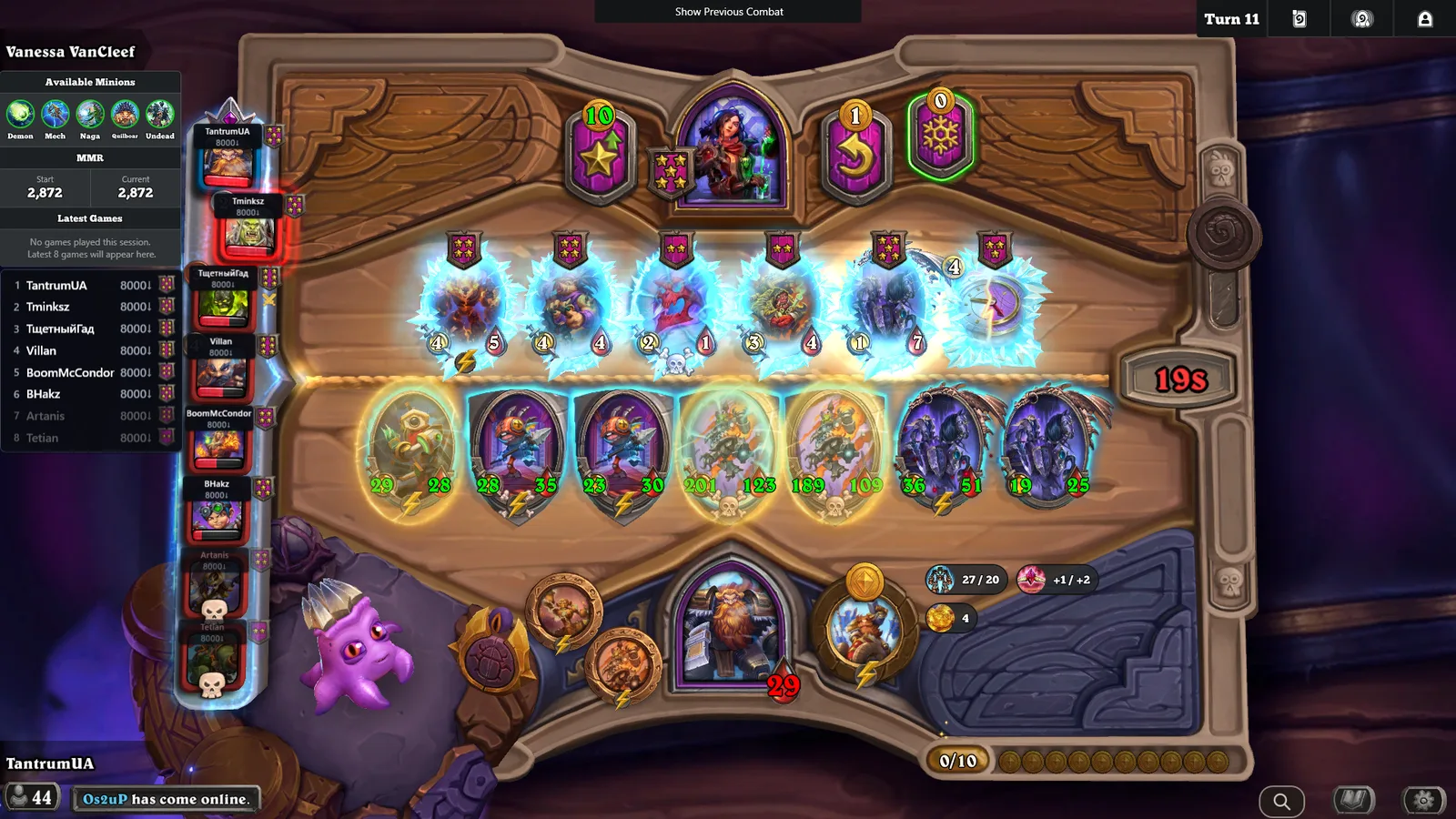
An in-game companion for Hearthstone Battlegrounds, built as a Hearthstone Deck Tracker plugin. It shows every opponent's MMR in the lobby, keeps your trinkets and the anomaly on screen through the whole match, lists the Dark Gifts on offer with the minion pool they draw from, and puts a card search over the game on F3 with smart filters for tier, tribe, keywords and stats. Free, open source, and the desktop sibling of hsbg.cards: card data and art come straight from this site, so it is always on the current patch.
Windows · requires Hearthstone Deck Tracker
Free & open source (Apache 2.0)
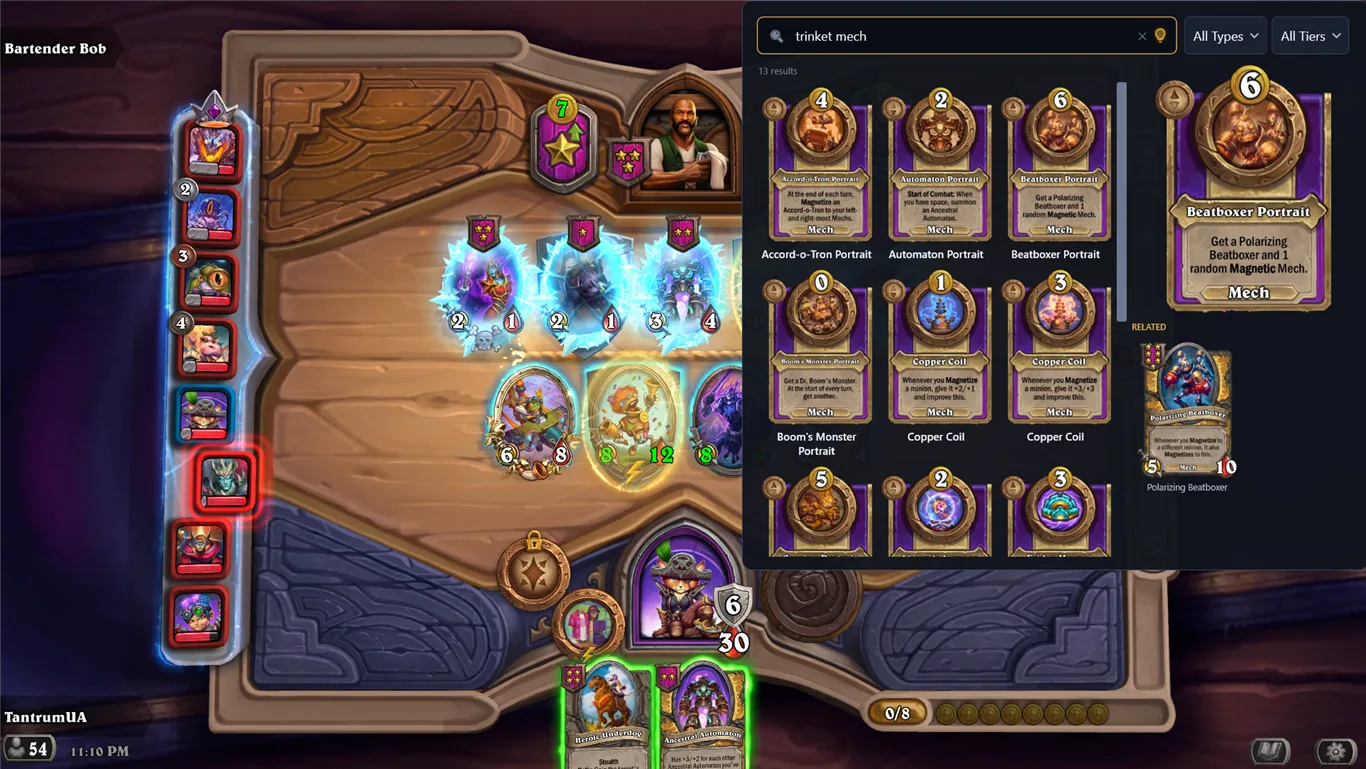
Press F3 and a search panel opens over Hearthstone. Type a name, or use the same smart filters as the website: t3 for a tier, 5/5 for stats, a tribe, a keyword, a spell school. Results show full card art.
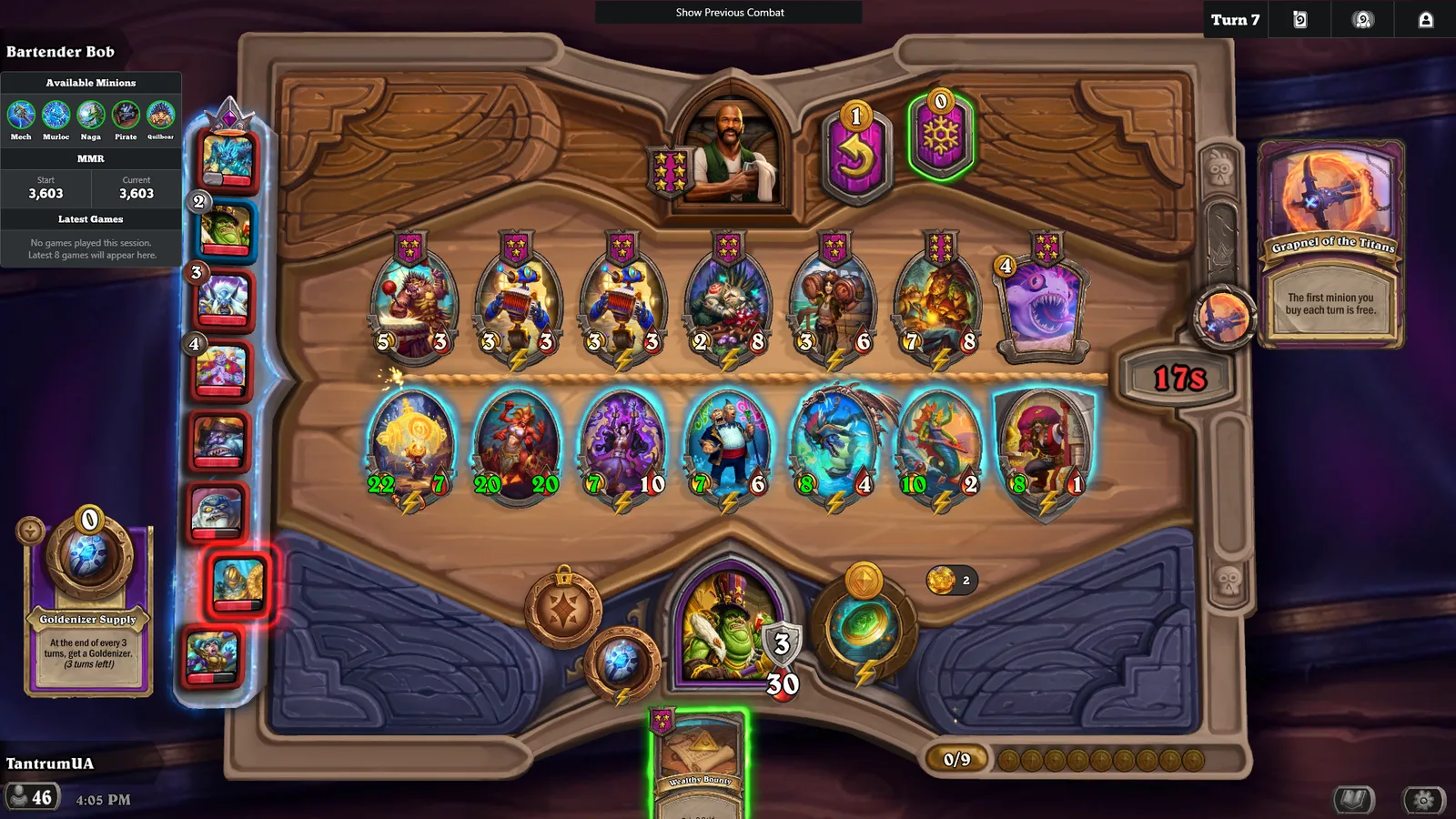
Your current Lesser and Greater trinkets and the lobby anomaly stay visible during the match, so neither you nor your viewers have to hover over them. Phone viewers, who cannot open HDT's Twitch extension, can finally see which anomaly is active.
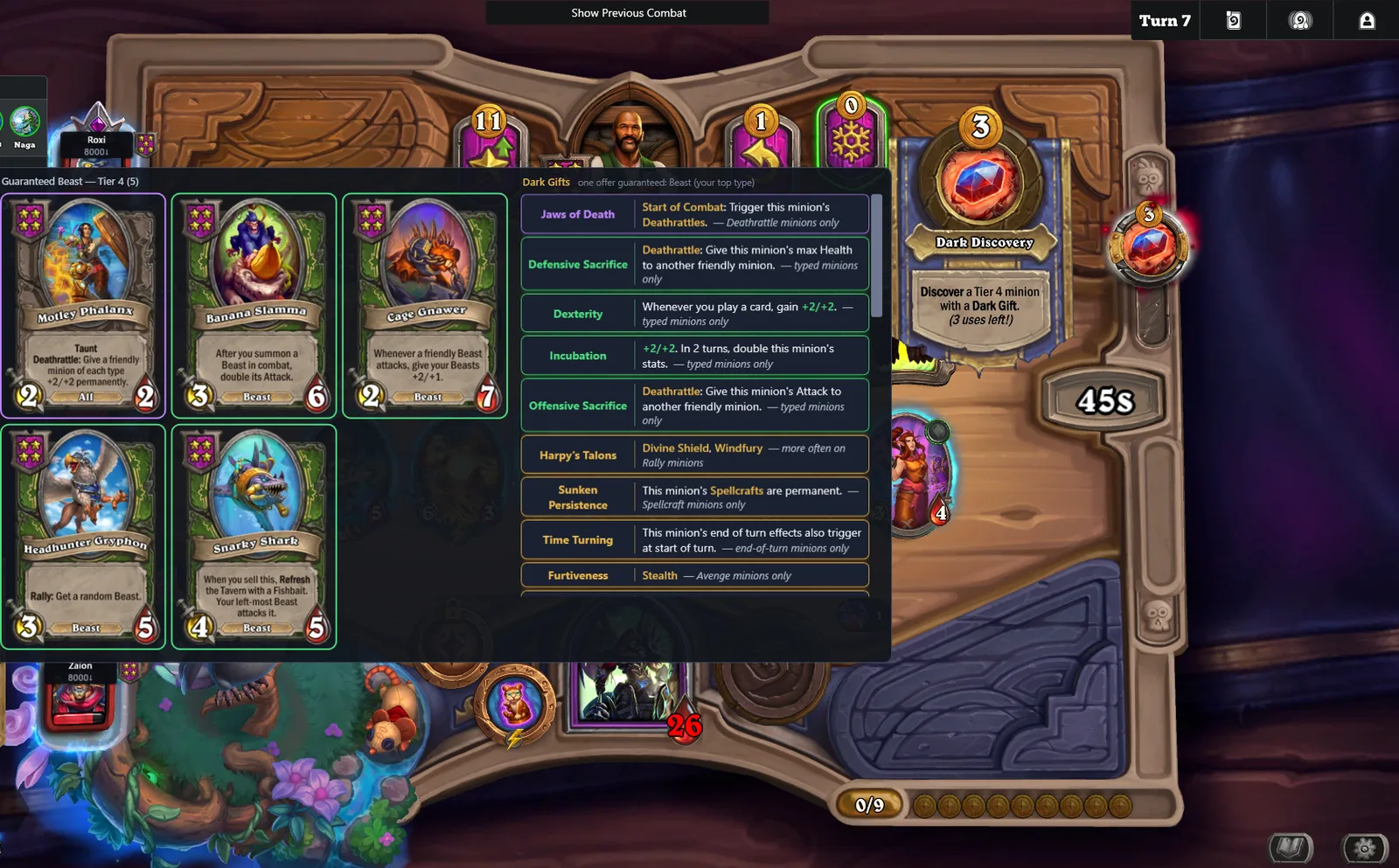
A panel listing the Dark Gifts on offer alongside the guaranteed-tribe minion pool they draw from. Three display modes: both, gift list only, or minion pool only.
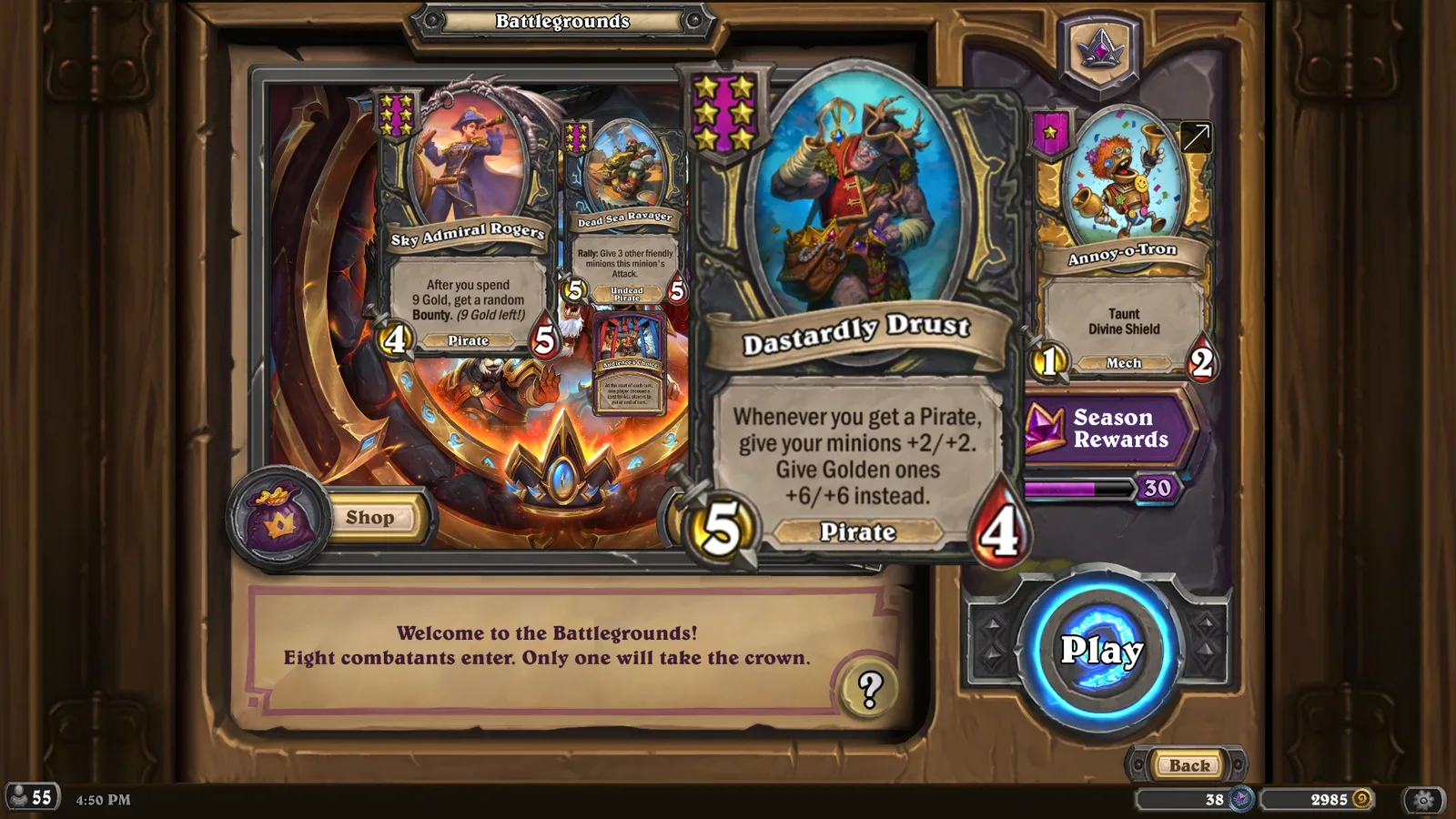
Pull any card out of the overlay and it becomes a free-floating, resizable window you can park anywhere on screen. Useful for explaining a card on stream, recording a video, or keeping a few references in a corner.
install.bat. It closes HDT and copies the plugin into place. If you prefer to do it by hand, drop the HsbgCardLookup folder into %APPDATA%\HearthstoneDeckTracker\Plugins\.On first launch the plugin downloads the card art in the background, about 200 MB, one time. After that it starts instantly and only fetches cards whose art changed.
A quick fix on top of v0.7.0, for the match recap that arrived with it.
"HSBG Card Lookup" described the first feature, not what the plugin has grown into.
HsbgCardLookup-vX.Y.Z.zip, the plugin folder is still HsbgCardLookup, and your settings and card art stay where they are.When a solo Battlegrounds match ends, a small panel in the top-left corner sums up how you played it.
A new install used to show nothing in a match until you found the right switches in the settings.
Two reports of "I installed it and nothing happened" traced back to the install script.
View on GitHub · HsbgCardLookup-v0.7.0.zip (1.9 MB)
A quick fix on top of v0.6.0. If you updated to v0.6.0 and the Aberrations and other new cards show up in the search with no picture, this is the release for you.
View on GitHub · HsbgCardLookup-v0.6.1.zip (1.9 MB)
Each opponent's most common minion type (the "4 Beasts" the game shows when you focus a leaderboard portrait) now shows all the time, for every player from turn 1, on both Opponent MMR surfaces.
Hearthstone's new minion type arrives with the September 22 patch, and the plugin has been prepared for it in advance.
The gift panel no longer appears while you hover the Dark Discovery button. Hovering that button to read its own tooltip used to throw a large panel across the middle of the board, every time.
View on GitHub · HsbgCardLookup-v0.6.0.zip (1.9 MB)
This release delivers the long-planned UI overhaul, providing feature-specific settings pages with live previews, alongside a major rework of the Opponent MMR features for Battlegrounds Duos support.
The settings window has been completely reworked to manage the plugin's expanding feature set.
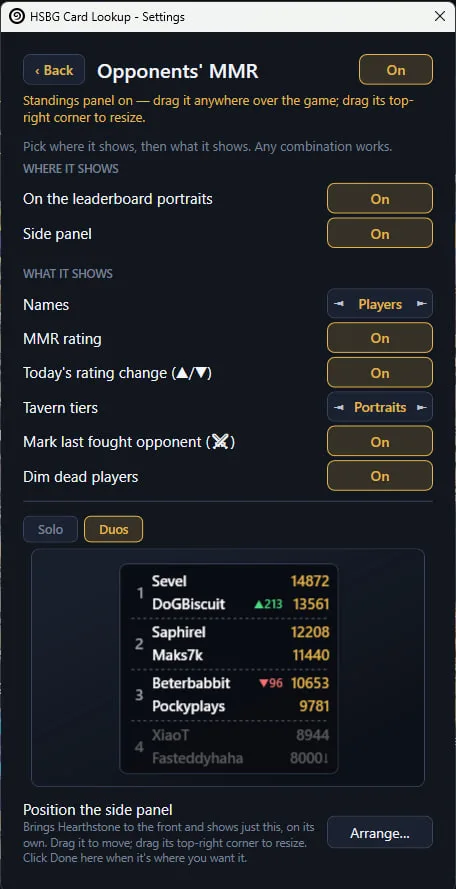
The opponent MMR system has been significantly updated to support Battlegrounds Duos and improve layout consistency.
setup.ps1 script to pull local HDT assemblies.View on GitHub · HsbgCardLookup-v0.5.0.zip (1.9 MB)
Since v0.1 the plugin could download and install its own updates. That design kept tripping Windows Defender: two separate waves of machine-learning false positives (Sabsik.TE.A!ml, then Wacatac.H!ml) flagged the updater's freshly downloaded plugin file — both times the same staged DLL the auto-updater had just written to disk. The files themselves are clean (VirusTotal: 0 detections across ~70 engines, including Microsoft's own), but the pattern — a program silently downloading a new DLL and writing it to disk — is exactly what Defender's heuristics distrust in software they don't know yet, and every new release is a file Defender has never seen before. v0.3.4 already softened the pattern (explicit consent, apply only after HDT exits) and it still got flagged. A plugin that periodically gets called a trojan loses far more trust than one extra manual step costs, so the auto-download is now gone entirely.
The plugin still checks for updates and tells you when one exists — a banner in the F3 overlay, a line in Settings > Updates, and a small "Update available" badge above the in-game search button. Installing is now always done by you, through your browser:
1. Click "Download page" — the GitHub release opens in your browser. 2. Download the zip and extract it. 3. Run install.bat — it closes HDT, installs the update, and offers to start HDT again.
That is the same one-minute flow as the first install. "Skip this version" still works if you want to sit a release out. The plugin itself never downloads or writes program files anymore, so the pattern both false-positive waves fired on no longer exists.
View on GitHub · HsbgCardLookup-v0.4.0.zip (1.8 MB)
Small follow-up to v0.3.4. An independent code review turned up one concrete, safe reduction: the updater's relaunch step was hiding its helper process two different ways at once (a PowerShell flag and a .NET process-creation flag), which is a specific pattern some antivirus ML heuristics weight on its own. One of those was redundant — the process was already fully hidden without it — so it's removed. No behavior change; the helper was never visible either way.
Everyone already on v0.3.4 will pick this up automatically the normal way. If you were still seeing a fresh Defender flag on every HDT launch after installing v0.3.4, this release is worth grabbing directly.
View on GitHub · HsbgCardLookup-v0.3.4.1.zip (1.8 MB)
Safer auto-updates. The plugin no longer swaps its own files while it's still running — an update now applies only after Hearthstone Deck Tracker has fully closed, right before it restarts. This removes the specific pattern (a live process silently overwriting its own loaded module) that our investigation identified as the most likely trigger behind recent Windows Defender Sabsik.TE.A!ml false-positive reports.
You're asked before anything downloads. Finding a new version no longer downloads it automatically — you'll see an "Update available" banner in the search overlay (and a small badge by the in-game 🔍 button) with Download / Skip options and a link to read the release notes first.
New: Settings → Updates. Check your installed version, check for updates, or finish a pending restart — all from Settings now, not just the search overlay.
If a previous update attempt was blocked (by Defender or anything else) and you're still on an older version, grab this release directly below.
View on GitHub · HsbgCardLookup-v0.3.4.zip (1.8 MB)
In-game search button. A magnifying-glass pill now sits beside the game's card-list book in the bottom-right of a Battlegrounds match — click it to open or close the card search. Handy if you never bound the F3 hotkey (or don't want to reach for it mid-shop). It can be turned off in Settings → Card search & floating cards.
Close button on the overlay. A small red ✕ in the overlay's top-right corner closes it. Together with the pill, the search is now usable end to end without touching the keyboard. Esc and the hotkey still work as before.
Dark Gifts fixes.
View on GitHub · HsbgCardLookup-v0.3.3.zip (1.8 MB)
Fixes the Dark Gifts panel listing a Timewarped minion (Timewarped Leapfrogger) among the guaranteed-tribe minions.
Timewarped cards exist only in their own anomaly lobby, so the pool now excludes them by card category instead of relying on the isTimewarped data flag, which is missing on some card records.
View on GitHub · HsbgCardLookup-v0.3.2.1.zip (1.8 MB)
Trinket & anomaly HUD now draws inside HDT's own overlay. The HUD cards are no longer separate windows - dragging, resizing and right-clicking them can never pull focus away from Hearthstone, and they scale and move with the game window. Saved positions convert automatically (re-check them once via Settings -> Arrange).
Opponents' MMR: fully combinable display. Settings -> Opponents' MMR now offers two surfaces - the per-portrait labels and a new separate movable/resizable standings panel - plus individual switches for names, rating, daily change, the last-opponent marker and dead-player dimming. Tavern tiers get their own placement choice: off / by the portraits / in the panel / both. Any combination works: tiers only, a names-only panel, rating without names...
Notes: Arrange mode now needs Hearthstone running (the overlay only renders over the game).
View on GitHub · HsbgCardLookup-v0.3.2.zip (1.8 MB)
Dark Gifts panel now draws inside HDT's own overlay. It is no longer a separate window, so hovering, scrolling and right-clicking it can never pull focus away from Hearthstone. Scroll-while-hovering-the-button still works.
Opponents' MMR: new "Show opponent names" toggle (off by default). Settings -> Opponents' MMR -> the arrow. With names off, each portrait label shows just the rating and tavern tier - handy when streaming.
Fixes and cleanup: the panel can no longer get stuck on screen when the cursor leaves it.
View on GitHub · HsbgCardLookup-v0.3.1.zip (1.8 MB)
New in 0.3.0:
View on GitHub · HsbgCardLookup-v0.3.0.zip (1.8 MB)
buddy, token, timewarped, darkmoon, …) and those jump back to the top as before. Browse (empty search) is unchanged._Auto-updates for anyone already on 0.2.1+. (On 0.1.x? Install this once manually — extract + run install.bat — then updates apply on their own.)_
View on GitHub · HsbgCardLookup-v0.2.2.zip (1.8 MB)
install.bat). After that, future updates apply on their own.cost 2).View on GitHub · HsbgCardLookup-v0.2.1.zip (1.8 MB)
cost 2 (or cost2) to filter cards by mana cost.View on GitHub · HsbgCardLookup-v0.2.0.zip (1.8 MB)
greater trinket or lesser trinket to filter trinkets by tier; when Trinket is selected in the filter menu, a Lesser / Greater / All switch appears.greater/lesser (or names like Greater Pouches) still matches by name, and trinket lesser greater takes the first tier as the filter and the rest as a name/text search.Auto-updates from v0.1.0. Fresh install: extract the zip and run install.bat (or drop the HsbgCardLookup folder into %APPDATA%\HearthstoneDeckTracker\Plugins\), then restart HDT.
View on GitHub · HsbgCardLookup-v0.1.1.zip (1.8 MB)
First public release of HSBG Card Lookup, an in-game Hearthstone Battlegrounds card search overlay for Hearthstone Deck Tracker.
1. Download HsbgCardLookup-v0.1.0.zip below and extract it. 2. Double-click install.bat (closes HDT, copies the plugin into place) — or drop the HsbgCardLookup folder into %APPDATA%\HearthstoneDeckTracker\Plugins\. 3. Start HDT and press F3.
First launch downloads card art in the background (~200 MB, one time); after that data + art self-update.
t3, 5/5, tribes, keywords, spell schools)Windows + HDT only. See the README for details.
View on GitHub · HsbgCardLookup-v0.1.0.zip (1.8 MB)
No. It is a Hearthstone Deck Tracker plugin, and HDT itself is Windows-only. It needs .NET Framework 4.7.2, which is already present on any machine that runs HDT.
As of the date at the top of this page, the plugin contacts three things: Blizzard's public Battlegrounds leaderboard, to look up opponent MMR by player name; the hsbg.cards API, to fetch card data and art; and GitHub, once at startup, to check whether a newer release exists. Nothing about your account or your games is uploaded.

 Emotes